Website planning
What should a small-business website include?
Before choosing colours or comparing quotes, decide what a customer needs to understand and do on your website. A useful site explains your business, answers the questions that come before an enquiry and gives visitors a straightforward next step.
The short answer
Start with a clear introduction, useful service pages, evidence of your work and an easy way to contact you. Add booking, product or location information where your customers need it. The right scope comes from how your business works.
1. Start with the customer task
A visitor to a clinic might want to check a practitioner's profile and book an appointment. Someone looking for a retaining wall may need to see project examples, understand the work you take on and request a quote. Those are different journeys, even though both businesses need a professional website.
Write down your main customer, the service they need and the next action you want them to take. Use that as the brief for the page structure. If a proposed feature does not help that journey, ask whether it belongs in the first version.
2. Choose pages that answer different questions
These are useful starting points for a service business. They are planning prompts, rather than a required page count.
| Page or section | Question it should answer |
|---|---|
| Home | What do you do, who do you help and where should I go next? |
| Services | Do you provide the specific help I need, and what does it involve? |
| About or team | Who will I be dealing with, and what relevant experience do they have? |
| Work or case studies | Can I see examples that help me assess whether you are a good fit? |
| Contact or booking | How do I enquire, and what information do you need from me? |
A business with several distinct services may benefit from a separate page for each. A very small business with one offer may be better served by a shorter site. Avoid adding pages that repeat the same information under different headings.
For example, the RPL & Licensing Australia project presents qualifications and builder licensing as separate pathways. The structure helps visitors choose information that fits their situation.
3. Show the work behind your claims
Useful evidence can be a project gallery, a clearly attributed client comment or an explanation of how you approached a job. Tell visitors what they are looking at. A photograph without context can be attractive without helping someone choose your business.
In the Westcoast Limestone Walls project, service and gallery categories let visitors explore different types of wall and landscaping work. On a clinic site, the equivalent may be practitioner profiles and clear service information.
Use photographs and testimonials you have permission to publish. If you include a performance result, explain the measurement and comparison period. Avoid implying that one client's outcome is a promise for every new customer.
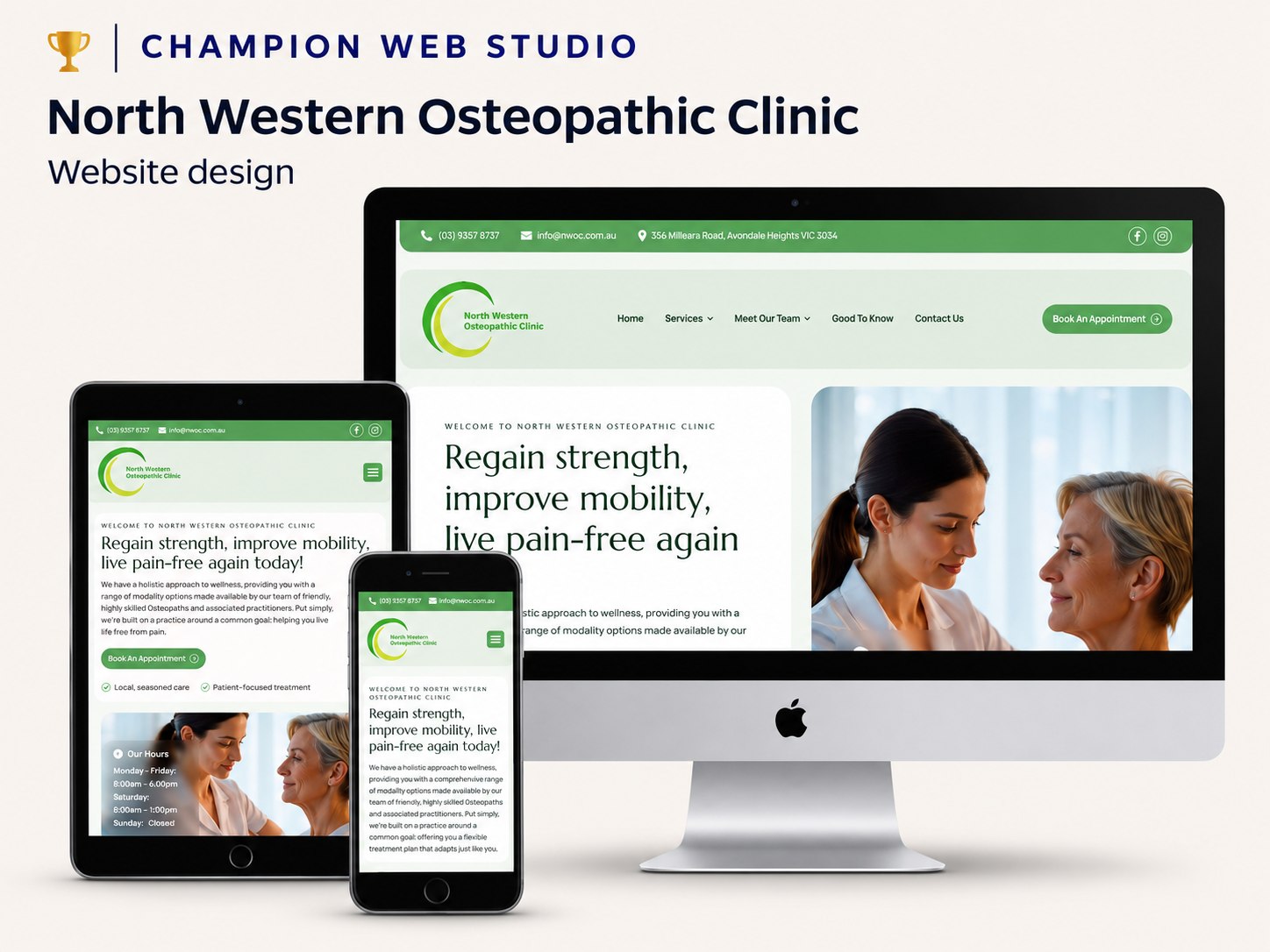
4. Make the next step clear, especially on a phone
Put a relevant enquiry or booking option where a visitor finishes reading about a service. Give the button a clear label. “Request a quote” explains more than “Submit” when the action is a quote enquiry.
Keep the form focused on what you need to respond. Tell people what happens afterwards, and show an understandable confirmation when the submission succeeds. Test invalid fields, failed submissions and email delivery as well as the happy path.
On a phone, check that the text is readable, navigation works, buttons are comfortable to tap and the page does not scroll sideways. A desktop screenshot alone is not a mobile test.
5. Include search foundations and useful measurement
Each important page needs a descriptive title, clear headings and links from relevant pages. Google explains that links help it discover content and that organised, useful information helps people understand a site. See Google's SEO Starter Guide for the fundamentals.
Arrange access to Search Console and your analytics account. Decide what counts as a genuine enquiry, then check that the tracking reflects a successful action. Traffic figures are useful context; they do not tell you whether those visitors are suitable customers.
Our website SEO checklist covers the technical checks in more detail.
6. Agree on ownership, costs and support
Before accepting a quote, ask who controls the domain, hosting and website accounts. Clarify what the initial price includes, what costs recur and what happens if you move to another provider.
Also agree on how changes will be made. If you need to publish frequently yourself, editing access may be important. If you would rather have someone make occasional updates, ask what the support arrangement covers and how requests are handled.
- Who supplies and approves the text and images?
- How many services, projects and forms are included?
- What will be tested before launch?
- Who handles updates and technical problems afterwards?
- How will account access and website files be handed over?
A clear scope makes quotes easier to compare and reduces surprises after launch. Our web design service and website support service explain the ways we can help.